
Set up a price tracker, start to finish
About two minutes, start to finish. Every screen below — from download to your first report — so you know exactly what to expect.
Download the free app
PriceTracker runs inside bots.team, a free desktop app for Mac and Windows. Download it and open it — no account, no sign-up, no credit card.
- Mac or Windows desktop app
- Runs on your computer, not a website you log into
- No always-on server holding your setup
Connect Claude
Every bot runs on Claude, Anthropic's AI. The first time you open the app, it'll ask you to connect.
Already have Claude?
Sign in and you're done — nothing extra to pay. PriceTracker runs on the subscription you already have.
Need Claude first?
Subscribe at claude.ai (~$20/mo to Anthropic), then connect it. Full pricing →
Add a bot and describe the job
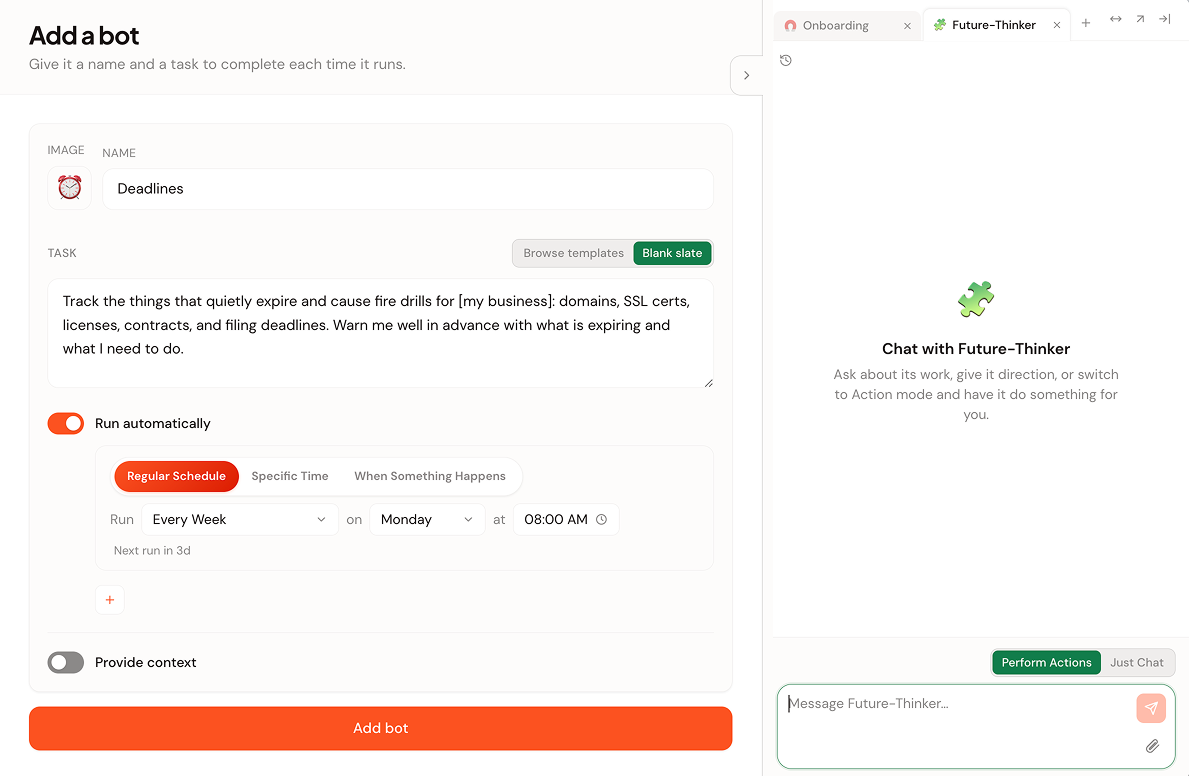
Click Add a bot. You'll give it two things: a name and a task written in plain English. Name it something you'll recognize — PriceTracker, or the actual thing you're watching like MonitorDeal.
In the Task box, type it the way you'd ask a person. For a price watch, paste your link and say:
There's no special syntax and no wrong way to phrase it. You can start from Blank slate (shown here) or Browse templates for a head start.
Tell it when to check
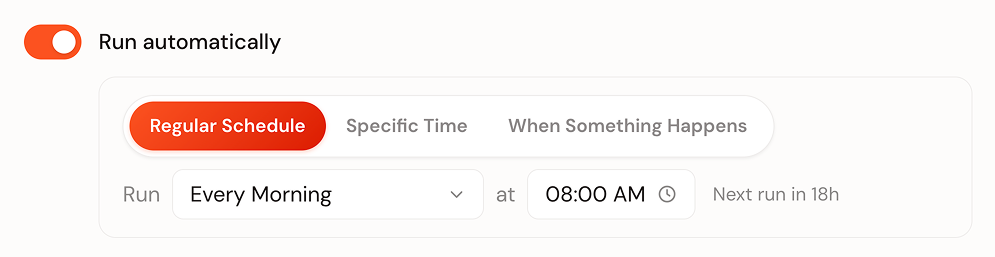
Turn on Run automatically and pick a schedule. For most price watches, Every Morning is perfect — you wake up to a note either way. Moving fast on a deal? Switch it to check every hour.
Set your ground rules
A price tracker only needs to read one public page — nothing on your computer. Defaults keep it in that lane:
- "Never search or browse your other files" is on by default
- Can't install software, change your OS, or run system commands
- One-time "use AI responsibly" acknowledgment — then you're set
Read the report
From now on it runs on schedule and leaves a clean report each time — headline, short summary, tracked prices as stats. Most mornings: quiet "no change." The day the price moves, it says so plainly.
When a price drops, you get the note — you decide whether to buy. It never buys anything itself.
Or let us write the instruction for you
Paste a link and we'll hand the bot the job already written — opens bots.team pre-filled so there's nothing left to type.